
Travel
Travel Adapter for Australia and New Zealand: Type I Plug Guide
Australia travel adapter guide for Singapore travellers: Type I plugs, 230V, how to slide out universal adapter pins, and what works in New Zealand too.

An Australia travel adapter needs Type I pins: two flat blades set in a V, with an optional third flat earth pin below. New Zealand uses exactly the same Type I socket, so one adapter covers Sydney, Melbourne, Perth, Auckland and Queenstown. Both countries run at 230V, 50Hz, like Singapore, so your phone and laptop chargers need no converter.
The plug shape is the easy part. The harder part, judging by how often people search it, is actually getting the right pins out of a universal adapter and seated properly in an Australian wall. This guide walks through that step by step, explains why Type I trips people up, and matches wattage to the devices you will pack. We have designed travel chargers in Singapore since 2010 for more than 500,000 customers, each with a 24-month warranty, and the Type I question lands in our inbox every December holiday season.
What makes the Australia travel adapter different
You land in Melbourne after a red-eye, the hotel room is cold, and your Singapore charger looks at the wall socket like it has never seen one before. It hasn't. The angled slots are like nothing on a Type G wall at home.
Type I is the angled-blade system set out in the Australian and New Zealand standard AS/NZS 3112. It is mostly associated with these two countries, although the IEC's Type I reference page also lists China, Argentina and several Pacific nations among its users. The standard socket is rated 10A. A 15A version has a wider earth pin, and the rule is simple: a 10A plug fits a 15A socket, but not the other way round. Travel chargers use the 10A two-blade shape, so you will be fine in any normal room.
Voltage in Australia and New Zealand
Both countries list 230V at 50Hz as the official supply. World Standards' Australia page notes that the real figure is often closer to 240V, which is still comfortably inside the "100-240V" input range printed on modern phone, tablet and laptop chargers. The New Zealand entry gives the same 230V, 50Hz. Translation: you only need to change the plug shape.
The wall switch everyone forgets
Most Australian and New Zealand sockets have a small rocker switch next to them. Plug in, forget the switch, and wake up to a phone at 6%. It is the single most common "my adapter is broken" call we hear after a trip to Perth, and the fix takes one finger.
How to use a universal travel adapter in Australia: a short walkthrough
Here is the part the search data says people struggle with. Universal adapters store several pin sets in one body, and the Australian blades are usually the ones hidden deepest. Before you start, find the small pin markings printed on the casing (often "AU" or "AUS") and the arrows that show which way each set slides. Every model is a little different, so the printed guide in the box beats any blog post, ours included.
| Step | What you do | What you should see or feel |
|---|---|---|
| 1. Start retracted | Make sure every pin set is pushed fully back into the body, and nothing is plugged into the USB ports. | Flat sides with no pins sticking out. |
| 2. Find the AU marking | Locate the AU or AUS label and its slider or selector on the side of the body. | An arrow showing the slide direction. |
| 3. Deploy the AU pins | Slide the AU selector firmly in the arrow direction until it stops. | Two angled flat blades fully extended, with a clear click or firm stop. |
| 4. Check the lock | Press gently on the blade tips with your thumb. | They should not move back. If they do, slide again until they lock. |
| 5. Plug in straight | Push the adapter straight into the socket, blades matching the angled slots. | The body sits flush against the wall plate. |
| 6. Switch on | Flick the wall switch beside the socket to on, then connect your cable. | Your device shows a charging icon. |
| 7. Remove and retract | Switch off, pull the adapter straight out, then release and retract the AU pins as shown on the casing. | Pins back inside, safe to pocket. |
Table: How to use a universal travel adapter for Australian and New Zealand Type I sockets
Step 4 is the one that matters most. A blade that is not locked can creep back under the weight of the charger, and a half-seated Type I blade gives you exactly the flickering, stop-start charging people blame on the hotel. That is why the InfiniteTravel Pocket range uses a pin-lock system: once deployed, the travel pins stay firmly locked in place during use.
Choosing an Australia travel adapter: checklist before you pack
The night before a flight to Brisbane, with the luggage scale out on the HDB living room floor, run through this list.
- Type I pins: Confirm the adapter has the angled AU blades, which work in both Australia and New Zealand.
- Locking pins: Choose pins that lock once deployed, so they cannot slide back in a socket mid-charge.
- Input range: Check for "100-240V" on the adapter and every charger, so 230V to 240V supply is not an issue.
- USB-C wattage: Match the wattage to your biggest device, about 30W for phones and 65W for most thin laptops.
- Port count: Count what charges overnight; two USB-C ports cover most couples, more devices mean a second unit.
- Weight: Keep it near 100 g, because a heavy brick tugs on a socket and on your carry-on allowance.
- Power bank rules: If you also carry a power bank, it travels in hand luggage only, as set out in IATA's lithium battery guidance.
New Zealand and Australia travel adapter picks by trip
A week in Sydney with a phone and AirPods is one thing. A campervan loop of New Zealand's South Island with two laptops, a drone and four phones is another.
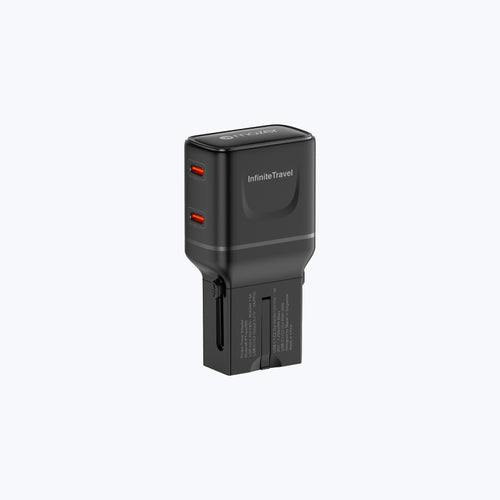
For most city trips, the InfiniteTravel Pocket 65W Universal Travel Charger ($59.90 SGD) is the one to pack. It carries US, UK, EU and AU pins, so the same unit works on the way home through other hubs, and a single USB-C port gives up to 65W, enough for a MacBook Air or a 13-inch ultrabook. When a phone joins in, the two ports split 45W plus 20W. It weighs 106 g.

The InfiniteTravel Pocket 65W with switchable AU, UK, US and EU pins and a pin-lock system
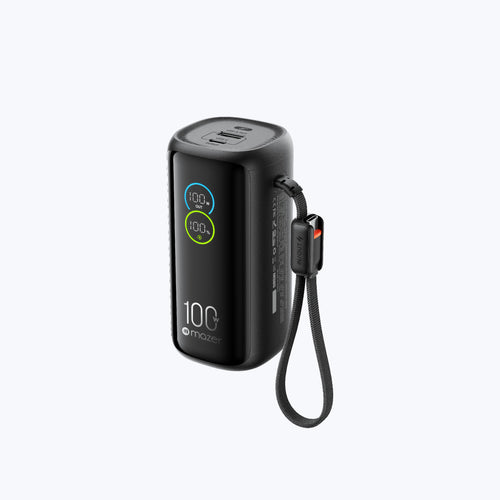
Phones only? The InfiniteTravel Pocket 30W Universal Travel Charger ($29.90 SGD) has the same pin set and lock in an 83 g body, with up to 30W from one USB-C port. For bigger setups, we would normally point you to the Infinite Travel PD100W, which has 100W total output and a built-in USB-C cable. It is currently sold out, so it is worth checking back before your next long trip.
| Trip | Devices | What to look for | Mazer option (as of 28 Oct 2026) |
|---|---|---|---|
| Sydney or Melbourne city break | 1 to 2 phones, earbuds | About 30W, AU pins | InfiniteTravel Pocket 30W, $29.90 SGD, in stock |
| Perth work trip | Laptop plus phone | 65W single port | InfiniteTravel Pocket 65W, $59.90 SGD, in stock |
| NZ road trip for two | 2 laptops, phones, camera | 100W total or two chargers | Infinite Travel PD100W, $109.90 SGD, currently sold out; or Pocket 65W plus Pocket 30W |
Table: Australia and New Zealand travel adapter options by trip type, specs and stock from whymazer.com
One Australia travel adapter, every trip after it
Type I looks strange the first time, then never again. Choose a universal charger that locks its AU blades in place, match the wattage to your laptop rather than your phone, and remember the wall switch. Do that and the same unit carries you from a Gold Coast weekend to a winter week in Queenstown, then to London or Tokyo with a different pin. Our pick for most travellers is the InfiniteTravel Pocket 65W, and you can compare every option in the Mazer travel adapters collection before you book the Changi taxi.
TL;DR
An Australia travel adapter needs Type I angled flat pins, and the same adapter works in New Zealand, with both countries on 230V like Singapore. Deploy the AU pins until they lock, push the adapter in straight and switch the wall socket on, and choose about 30W for phones or 65W if a laptop is coming.
Frequently Asked Questions about Australia and New Zealand travel adapters
These answers cover what Singapore travellers ask most before a trip Down Under. Each one stands on its own.
1. What travel adapter do I need for Australia?
You need a Type I adapter, with two flat blades angled in a V shape and sometimes a third flat earth pin. Singapore's Type G plugs will not fit Australian sockets, so pack an adapter or a universal travel charger with AU pins.
2. Is the New Zealand plug the same as Australia's?
Yes. New Zealand uses the same Type I socket and the same 230V, 50Hz supply, under the joint AS/NZS 3112 standard. Any adapter or universal charger that works in Australia works in New Zealand without changes.
3. How do I use a universal travel adapter in Australia?
Retract all pins, find the AU marking on the casing, then slide the AU selector until the angled blades lock fully out. Push the adapter straight into the socket, turn on the wall switch, and connect your device. Check the printed guide for your model.
4. Why is my adapter not charging in an Australian hotel?
The most common reason is the wall switch beside the socket being off. Other causes are pins that are not fully deployed and locked, or a loose socket. Switch on, re-seat the adapter, and try a different outlet if charging still stops.
5. Do I need a voltage converter for Australia or New Zealand?
Not for most electronics. Both countries supply 230V, often closer to 240V in Australia, and chargers marked "100-240V" handle that directly. Only single-voltage appliances, such as some 110V or 120V hair tools, would need a converter.
6. Can I use my Singapore charger in Australia?
Yes, with a Type I adapter. Singapore chargers are built for 230V, which matches Australia, so only the plug shape needs changing. A universal travel charger with AU pins replaces both the adapter and the charger in one unit.
7. Does an Australian adapter work in China?
Often, yes. The IEC lists China among Type I users, so the angled AU blades fit many Chinese sockets. China also uses other socket types, so check where you are staying, and remember the voltage there is 220V.
8. What wattage travel charger should I bring to Australia?
Around 30W is enough for phones and earbuds. If you bring a thin laptop such as a MacBook Air, choose 65W from a single USB-C port. For two laptops at once, use two chargers or a higher-wattage multi-port unit.
Get 15% off your first order
Heading to Australia or New Zealand soon? Join the Mazer mailing list for 15% off your first order, plus news on travel chargers, restocks and seasonal deals before you fly.
About Mazer
Founded in 2010, Mazer is a Singapore-based brand trusted by over 500,000 customers, with 1.8M+ units sold, offering high-quality, smarter, and eco-friendly technology designed for everyday life #mazer
Shop this guide

More guides like this


Join our community
Get early access to new products, exclusive deals, and free product trials.